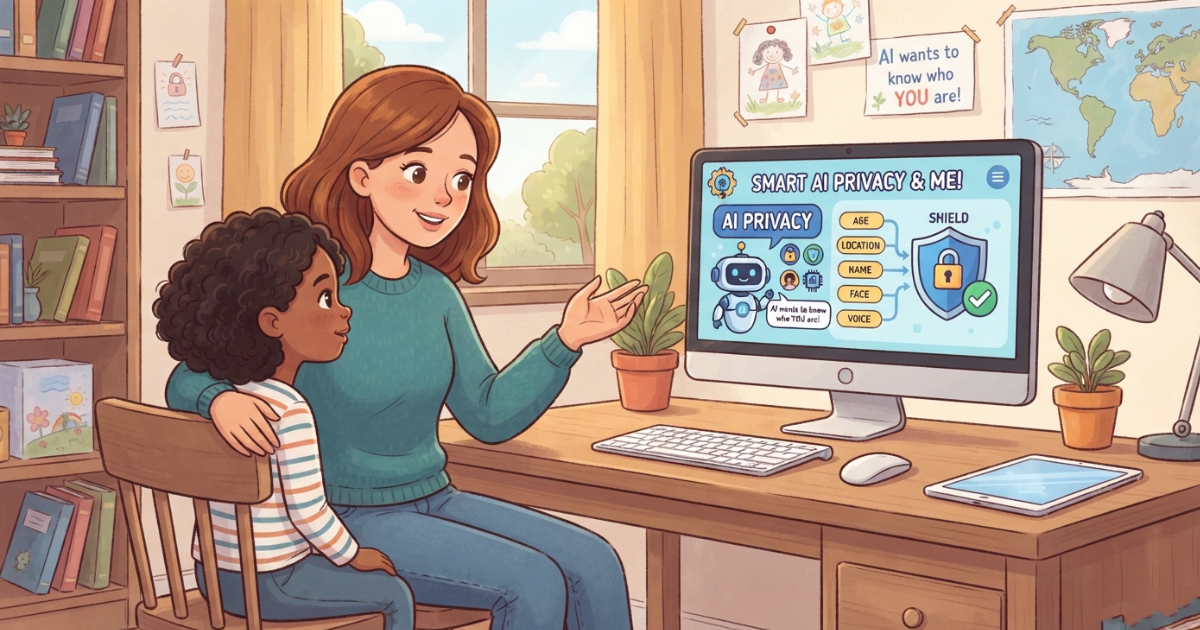
Children are using artificial intelligence for homework, entertainment, creativity, and everyday questions. But when a child interacts with an AI chatbot, they may share information without realizing that some details are private or sensitive. This makes AI privacy for kids an important part of digital safety. Parents need to understand what information children should avoid sharing with AI, how AI tools can handle personal information, and what families can do to build safer AI habits. Why Is AI Privacy Important for Kids? Children may not always recognize the difference between harmless information and information that should remain private. A child might tell an AI chatbot: Their full name Their school Where they live Their phone number Their age Information about their family Personal experiences Passwords or account information Photos or other identifying information Even when a child does not intend to share sensitive information, it can happen naturally during a conversation. Teaching children about privacy before they use AI can help them make safer decisions. What Information Should Kids Never Share With AI? A simple family rule can make a big difference: If you would not share it with a stranger, don’t share it with an AI chatbot. Children should generally avoid entering sensitive information such as: Passwords and Login Information Children should never provide passwords, authentication codes, or other account credentials to an AI chatbot. Home Address A child’s exact home address should remain private. School Information Children should be careful about sharing their school name, classroom, schedule, or other details that could identify where they spend their time. Phone Numbers Personal phone numbers should not be shared with AI tools unless a parent has specifically determined that it is appropriate. Financial Information Children should never share credit card numbers, bank details, or other financial information. Private Family Information Children may sometimes mention family problems, relationships, travel plans, or other personal details without realizing that these are private. Parents can teach children to think before sharing. Can Kids Share Their Names With AI? A first name alone may seem harmless, but children should still understand the difference between casual information and identifying information. Whether a particular piece of information is appropriate to share depends on the AI service and the context. A good rule for younger children is: Ask a parent before sharing personal information with an AI chatbot. As children become older, parents can gradually teach them how to evaluate privacy risks independently. What Are the Privacy Risks of AI Chatbots for Children? AI privacy involves more than just names and addresses. Parents should also consider several broader risks. Accidental Oversharing Children may reveal personal information during a conversation without realizing it. For example, a child asking for help with a school problem might mention their school, teacher, location, or other identifying details. Sensitive Conversations Children may use AI to discuss emotions, relationships, family situations, or other personal experiences. Parents should choose AI tools carefully and understand how those services approach privacy. Photos and Images Children may upload photos to AI tools for analysis, editing, or other purposes. Parents should understand what happens to uploaded content and what privacy controls are available before allowing children to use these features. Third-Party AI Services Not every AI service has the same privacy practices. Parents should review the service’s privacy policy and understand what information the service collects, how it is used, and what controls are available. How Can Parents Teach Kids AI Privacy? Privacy education should be simple and age-appropriate. Instead of giving children a long list of technical rules, start with a few principles. Rule 1: Think Before You Share Teach children to pause before entering personal information into an AI chatbot. Rule 2: Never Share Passwords This should be a non-negotiable rule. Rule 3: Ask Before Sharing Personal Information Younger children should ask a parent before sharing identifying information. Rule 4: Be Careful With Photos Children should understand that uploading a photo to an AI tool is different from keeping it on their device. Rule 5: Tell a Parent if Something Feels Wrong If an AI asks for unusual personal information or makes a child uncomfortable, they should stop and tell a trusted adult. AI Privacy Rules for Different Ages Children’s privacy education should evolve as they grow. Ages 6–10 Keep the rules simple: Don’t share your full name Don’t share your address Never share passwords Don’t upload photos without permission Ask a parent before sharing personal information At this age, supervised AI use can provide an additional layer of protection. Ages 11–14 Children can start learning more about: Personal data Online identity Privacy settings AI data collection Safe sharing Digital footprints Parents can gradually give children more independence while maintaining appropriate boundaries. Ages 15–17 Teenagers can develop more advanced privacy skills, including: Understanding privacy policies Evaluating AI services Recognizing data collection Managing account settings Understanding digital footprints Thinking critically about what they share online The objective is to help children eventually manage their own digital privacy responsibly. What Should Parents Look for in an AI Tool for Kids? Privacy should be one of the criteria parents consider before choosing an AI tool for a child. Look for clear information about: Data Collection Understand what information the service collects. Data Usage Check how collected information may be used. Data Retention Look for information about how long data may be retained. Account Controls Check what controls parents have over the child’s account. Child Safety Features Consider whether the service provides age-appropriate safety features. Transparency A trustworthy service should clearly explain its approach to privacy and safety. Parents should always review the current privacy documentation of any AI service they allow their child to use. AI Privacy and Parental Controls Privacy education is essential, but technology can also support parents. An AI parental control app can provide additional tools for creating safer boundaries around children’s AI activity. Depending on the solution, these tools may include: Parental visibility Safety alerts Content filtering Custom AI rules Age-appropriate AI experiences Activity
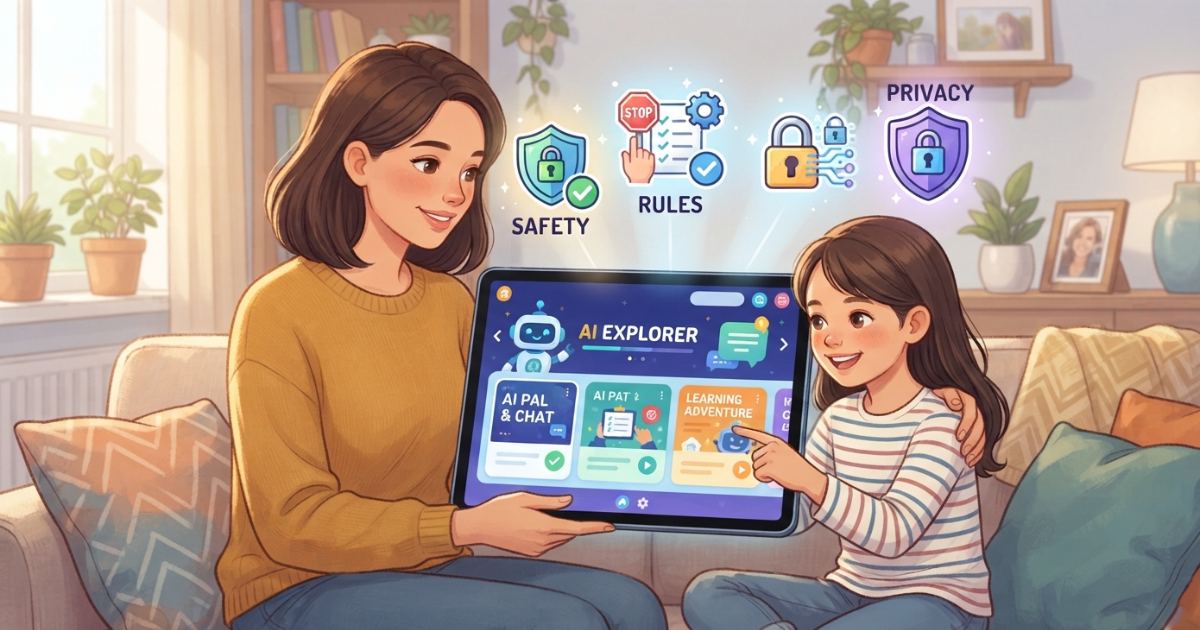
AI Rules for Kids: A Parent’s Guide to Setting Safe AI Boundaries
Artificial intelligence is becoming part of children’s everyday lives. Kids use AI to ask questions, get homework help, create stories, explore new ideas, and have conversations. But as AI becomes more accessible, many parents are asking an important question: What AI rules should I set for my child? Clear AI rules for kids can help children benefit from artificial intelligence while understanding its limits, risks, and responsibilities. Instead of simply banning AI, parents can create healthy boundaries around how, when, and why their children use it. This guide explains the most important AI rules for kids and how parents can create safer AI habits at home. Why Do Kids Need AI Rules? AI can generate answers instantly, but children may not always understand: When an AI response is inaccurate Which information should remain private Which topics require parental guidance When AI should not replace independent thinking How AI can generate inappropriate content Why some AI conversations may be unsuitable for their age Clear rules give children a framework for using AI safely. The goal is not to make children afraid of AI. The goal is to help them understand that AI is a powerful tool that should be used responsibly. 10 Important AI Rules for Kids 1. Never Share Private Information With AI One of the most important AI rules for children is simple: Never share private or sensitive information with an AI chatbot. Children should avoid sharing: Their full name Home address School name Phone number Passwords Family financial information Private family details Explain to your child that an AI chatbot should not be treated like a trusted family member. When in doubt, they should ask a parent before sharing information. For more guidance, parents can also learn about AI privacy for kids. 2. Don’t Assume AI Is Always Correct AI can sound confident even when an answer is incomplete or incorrect. Teach children to question important information and verify answers using trusted sources. A useful rule is: AI can help you learn, but AI should not be your only source of truth. This is particularly important for: School assignments Health information Safety advice Historical facts News and current events 3. Don’t Use AI to Do All Your Homework AI can help explain difficult concepts and provide examples. However, children should not simply copy AI-generated answers. Encourage your child to use AI as: A tutor An explanation tool A brainstorming assistant A way to practice ideas Instead of using it as a replacement for thinking and learning. A good family rule could be: Use AI to understand the answer, not simply to get the answer. 4. Tell a Parent if AI Says Something Uncomfortable Children should know that they can always talk to a parent if an AI gives them: An inappropriate answer A disturbing response Something confusing Something frightening Advice that does not feel right Children should never feel embarrassed about reporting an uncomfortable AI interaction. A simple rule is: If something an AI says makes you uncomfortable, stop and talk to a trusted adult. 5. Don’t Try to Bypass AI Safety Rules Children may encounter prompts online claiming that they can make an AI “ignore its rules.” These are often referred to as jailbreak prompts. Teach children that safety rules exist for a reason. Trying to bypass safety protections can lead to inappropriate or potentially harmful content. Instead of trying to “trick” AI systems, encourage children to use AI responsibly. 6. Use AI at Appropriate Times AI can be useful, but children should not spend unlimited time talking to chatbots. Parents can establish boundaries around: Daily AI usage time Homework use Bedtime Screen-free family activities The goal is to make AI one useful tool among many—not something that replaces play, family interaction, creativity, or real-world learning. 7. Treat AI as a Tool, Not a Real Person Some AI chatbots can sound extremely human. Children should understand that AI does not have feelings, consciousness, or real-life experiences. AI can simulate a conversation, but it should not replace relationships with: Parents Friends Teachers Trusted adults Parents can explain that an AI can be helpful without being a real friend. 8. Ask Age-Appropriate Questions Children are naturally curious, and asking questions is part of learning. However, some topics may require parental guidance depending on the child’s age. Parents can create family boundaries around sensitive topics and explain that children can always ask a trusted adult when they are unsure. Age-appropriate AI is one important part of creating a safer experience. 9. Think Before You Trust or Share an AI Answer Before sharing something generated by AI, children should ask: Is this information correct? Does it come from a reliable source? Could it be misleading? Should I ask an adult before sharing it? This helps children develop AI literacy instead of automatically trusting everything generated by a chatbot. 10. Talk to a Parent When You’re Not Sure Perhaps the most important rule is: When in doubt, ask a trusted adult. Children should feel comfortable asking questions about AI without worrying that they will automatically lose access to it. Open communication is one of the strongest AI safety tools available to families. How to Create AI Rules Based on Your Child’s Age Not every child needs the same rules. A 7-year-old and a 16-year-old have very different levels of maturity and independence. Ages 6–10: Supervised AI Use Recommended rules: Use AI with parental guidance Do not share personal information Avoid open-ended conversations with strangers or AI companions Ask a parent when something is confusing Use AI primarily for learning and creativity Ages 11–14: Guided Independence Recommended rules: Use AI independently within family boundaries Verify important information Follow privacy rules Report uncomfortable conversations Use AI responsibly for schoolwork Avoid attempts to bypass safety systems Ages 15–17: Increasing Independence Recommended rules: Continue protecting private information Develop strong AI literacy Verify important information Understand AI bias and misinformation Use AI responsibly for school and creativity Discuss complex topics openly with parents when needed The
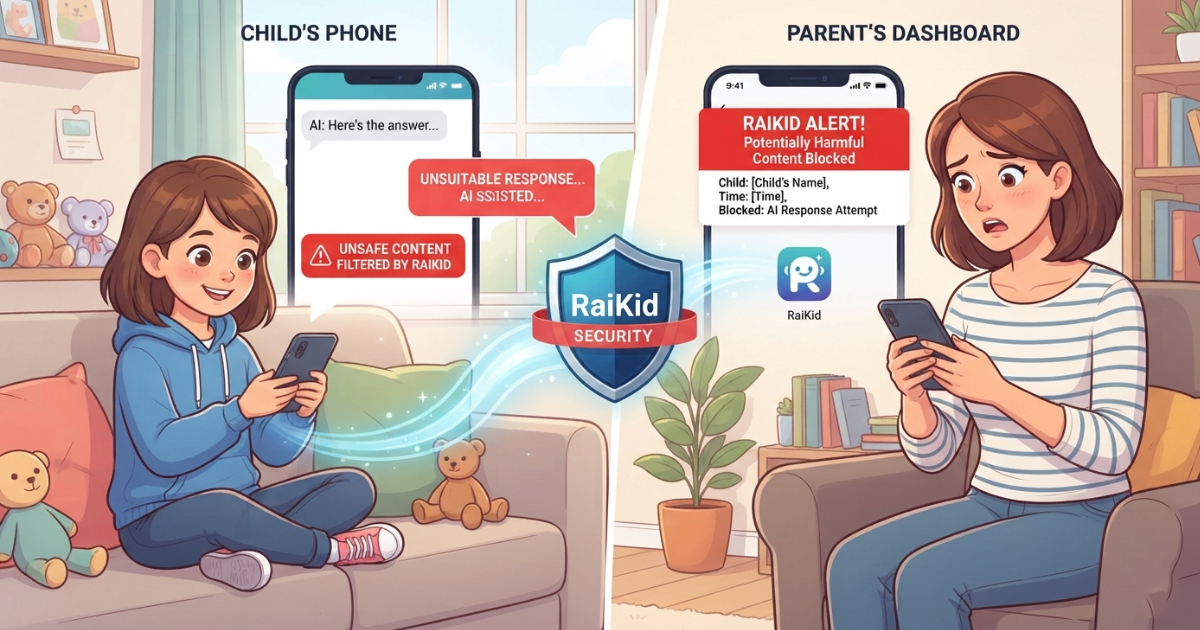
What Is an AI Content Filter for Kids? How It Keeps Children Safer
Artificial intelligence is becoming part of children’s everyday lives. Kids use AI chatbots to ask questions, get homework help, create stories, explore new topics, and have conversations. But as AI becomes more accessible, parents face an important question: How can you make sure the AI content your child sees is appropriate for their age? This is where an AI content filter for kids can help. AI content filtering is designed to identify and reduce exposure to inappropriate, harmful, or age-inappropriate content during a child’s interaction with artificial intelligence. But not all filters work the same way, and a single filter is not always enough. In this guide, we’ll explain what an AI content filter for kids is, how AI content filtering works, what parents should look for, and why content filtering should be part of a broader AI safety strategy. What Is an AI Content Filter for Kids? An AI content filter for kids is a safety system designed to help prevent children from being exposed to inappropriate or potentially harmful content when using artificial intelligence. Depending on the system, content filtering may analyze: What the child writes to the AI What the AI generates in response The meaning and context of a conversation Topics that may be inappropriate for the child’s age Repeated or potentially concerning conversation patterns The goal is not simply to block individual words. A more effective AI safety system should consider context, intent, and the child’s age. For example, the word “violence” could appear in a history question, a school assignment, or a genuinely inappropriate request. A basic keyword filter may treat all of these situations the same way. Context-aware AI content filtering can help distinguish between these situations and respond more appropriately. Why Do Kids Need AI Content Filters? Many general-purpose AI systems are designed for a broad audience. Children, however, have different developmental needs and may not always understand: Which questions are appropriate What information should remain private Whether an AI response is accurate When a conversation becomes inappropriate How AI safety restrictions can be bypassed Children are also naturally curious. They may ask questions without understanding where the conversation could lead. An AI content filter can provide an additional layer of protection by helping identify potentially inappropriate content before or during the interaction. However, content filtering should not replace parental guidance. It should work alongside family rules, education, and appropriate parental supervision. What Types of Content Should an AI Filter for Kids Help Detect? A good AI content filter for children should help identify several categories of potentially concerning content. Inappropriate Sexual Content Children should not be exposed to sexual or adult-oriented content that is inappropriate for their age. AI safety systems should help prevent both inappropriate requests and inappropriate AI responses. Violence and Disturbing Content Some questions may lead to graphic or disturbing responses. Age-appropriate filtering can help reduce unnecessary exposure while still allowing educational discussions when appropriate. Dangerous Activities Children may ask AI for instructions without understanding potential risks. AI safety filters can help identify conversations involving potentially dangerous activities and respond with safer guidance. Harmful or Abusive Language Filtering can help detect inappropriate language, bullying, harassment, or other harmful interactions. Privacy Risks Children may accidentally share personal information during an AI conversation. A child-focused AI safety system can help identify situations where a child may be sharing information that should remain private. Content safety is only one part of protecting children online. Parents should also understand AI privacy for kids and how personal information can be exposed during AI conversations. Attempts to Bypass AI Safety Rules Some users attempt to make AI systems ignore their safety restrictions through techniques often called jailbreaks. Children may encounter these prompts online or receive them from friends. A stronger AI safety system should consider both inappropriate content and attempts to bypass the rules designed to prevent that content. How Does AI Content Filtering Work? Different systems use different technologies, but a stronger approach often involves multiple safety layers. 1. Input Filtering Input filtering analyzes what the child sends to the AI. The system can identify potentially inappropriate, dangerous, or sensitive requests before they continue through the conversation. 2. Context and Intent Analysis Simple keyword filtering is often not enough. AI systems can analyze the meaning and context of a request to better understand what the child is actually asking. This helps reduce situations where harmless educational questions are incorrectly blocked. 3. Output Filtering Filtering should also examine what the AI sends back. Even if a child’s question appears harmless, an AI response may contain information that is too mature or inappropriate for the child’s age. Output filtering provides an additional safety layer. 4. Age-Appropriate Response Controls Children of different ages should not necessarily receive the same type of answer. An effective child-focused AI system can adjust: Vocabulary Explanation depth Tone Topic handling Safety boundaries Age-aware controls can help make AI conversations more appropriate for the individual child. 5. Safety Alerts and Monitoring Some systems can also identify conversations that may require parental attention. Instead of requiring parents to manually review every interaction, alerts can help highlight potentially concerning situations. For parents who want greater visibility, you can also learn how to monitor kids’ AI conversations safely. Why a Single AI Content Filter May Not Be Enough One of the biggest mistakes parents can make is assuming that a single filter makes an AI completely safe. No safety technology can guarantee that every inappropriate response will be prevented. AI safety should therefore use multiple layers. A stronger approach may combine: Content filtering + age-appropriate responses + parental controls + conversation monitoring + family rules. Together, these layers can help reduce risks and give parents more visibility into how their children use AI. To understand the broader picture, read our guide on safe AI for kids. AI Content Filtering vs Traditional Parental Controls Traditional parental control apps are useful for managing a child’s digital activity. They may help parents: Manage screen time Block websites
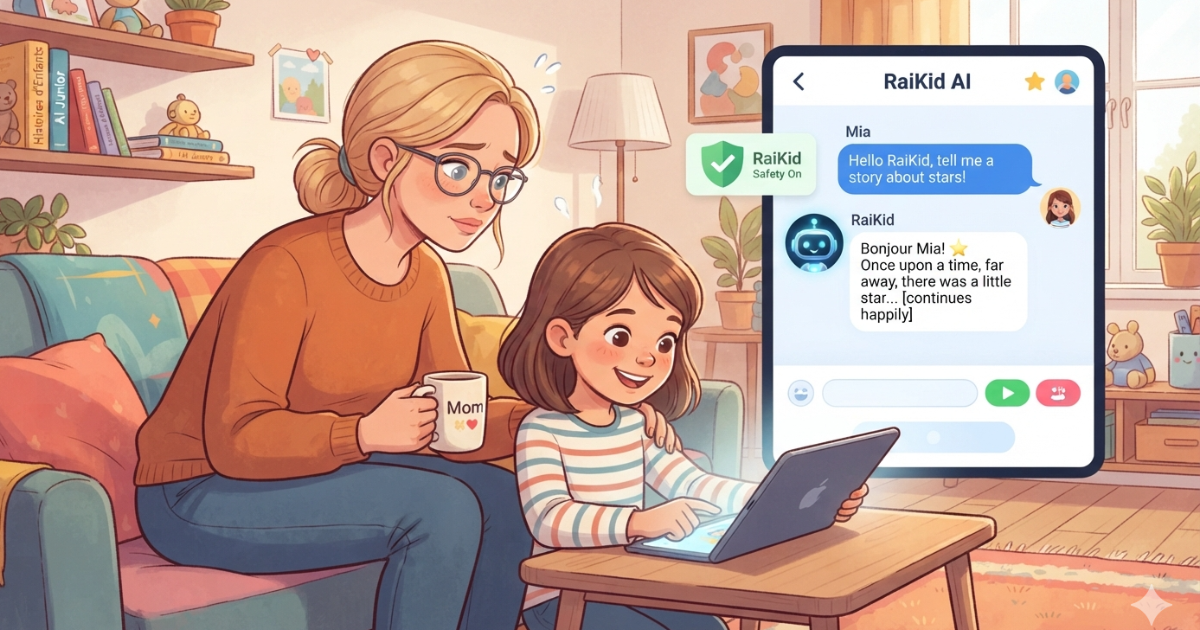
Monitor kids AI conversations
How to Monitor Kids’ AI Conversations Safely Children are increasingly using AI chatbots to ask questions, learn, do homework, explore ideas, and have conversations. While AI can be a useful educational tool, it also creates a new challenge for parents: how can you monitor kids’ AI conversations and make sure those interactions are safe? Traditional parental controls can help parents manage screen time, block websites, and restrict applications. But when a child is talking to an AI chatbot, simply knowing which app they are using may not be enough. Parents may also want to understand what their child is asking, what the AI is responding, and whether a conversation contains potentially unsafe or inappropriate content. In this guide, we’ll explain how to monitor kids’ AI conversations, what risks parents should be aware of, and what features to look for in an AI safety or parental control solution. Why Should Parents Monitor Kids’ AI Conversations? AI chatbots can answer almost any question a child asks. This can be helpful, but it can also create situations that parents may not expect. Depending on the chatbot, the child’s age, and the question being asked, an AI conversation could involve: Inappropriate or mature topics Violence or disturbing content Dangerous instructions Misinformation Privacy-related questions Sharing personal information Emotional or sensitive conversations Attempts to bypass AI safety restrictions Content that is not appropriate for the child’s age This does not mean that children should never use AI. Instead, parents may want to create a safer environment where children can benefit from AI while having appropriate boundaries and supervision. If you’re considering ChatGPT specifically, read our guide: Is ChatGPT safe for kids? What parents need to know. What Does “Monitor Kids’ AI Conversations” Mean? AI conversation monitoring is the process of helping parents understand and identify potential safety risks in their child’s interactions with AI chatbots. Depending on the technology being used, monitoring can include: Reviewing AI conversations Detecting potentially unsafe content Identifying risk patterns Receiving alerts about concerning interactions Applying custom safety rules Managing children’s AI access Providing age-appropriate AI responses The goal is not necessarily to read every conversation. A good monitoring system should help parents identify situations that may require attention while allowing children to use technology appropriately. Monitoring is only one part of creating a safe AI experience for kids. Parents should also consider age-appropriate responses, content filtering, privacy, and clear family rules. Learn more about what makes AI safe for kids. What Risks Can Parents Find in AI Conversations? 1. Inappropriate Content Children may ask questions about subjects they are not developmentally ready to understand. Even when a child asks an innocent question, an AI system may provide an answer that is too detailed or inappropriate for their age. Age-appropriate AI responses and content safeguards can help reduce this risk. If you’re still wondering whether children should use AI in the first place, read our guide: Is AI safe for kids? 2. Dangerous Instructions Children may ask AI how to perform an activity without understanding the potential consequences. Parents should consider whether an AI system has safeguards designed to prevent children from receiving potentially dangerous instructions. 3. Privacy Risks Children may not always understand what information should remain private. For example, they might share: Their full name School information Location Phone number Passwords Family information Photos or other personal details Parents can use AI conversations as an opportunity to teach children about online privacy. Monitoring AI conversations can also help parents identify situations where a child may accidentally share personal information. Learn more about AI privacy for kids. 4. Misinformation AI systems can sometimes provide incorrect or misleading information. Children may assume that an AI-generated answer is automatically true simply because it sounds confident. Parents should encourage children to verify important information, especially for health, safety, schoolwork, or other consequential topics. 5. Emotional Dependence Some children may begin treating an AI chatbot like a friend or confidant. While conversations with AI can feel natural, parents should help children understand the difference between interacting with software and building relationships with real people. Monitoring can help parents notice unusual patterns without assuming that every AI conversation is problematic. How Can Parents Monitor Kids’ AI Conversations? There are several approaches parents can take. 1. Talk to Your Child About AI The simplest starting point is communication. Explain to your child: What AI is What AI can and cannot do What information should remain private What types of questions are inappropriate What they should do if an AI gives them something uncomfortable or confusing Children are more likely to develop healthy AI habits when monitoring is combined with education. 2. Set Family AI Rules Parents can establish clear rules for AI use. For example: Which AI applications are allowed? When can the child use AI? What information should never be shared? What topics require talking to a parent? Should AI be used for homework? What should the child do if an AI response seems unsafe? Clear rules can make AI use easier to manage. Monitoring is only one part of AI safety. Parents should also establish clear AI rules for kids to guide responsible AI use. 3. Use Parental Controls Traditional parental control applications can help manage: Screen time Applications Websites Device access Content restrictions However, these controls may not always provide visibility into what happens inside an AI conversation. This is where AI-specific parental controls can add another layer of protection. Parents looking for a broader solution can also explore how an AI parental control app can provide safety controls and greater visibility into children’s AI activity. If you’re also looking for broader device protection beyond AI conversations, see our guide to the best parental control apps for Android. 4. Use AI Conversation Monitoring AI-specific monitoring can help parents identify potentially concerning interactions rather than simply blocking access to AI. Depending on the solution, this may include: Conversation monitoring Unsafe-content detection Risk alerts Custom AI rules Activity reports Age-based safety settings This approach allows
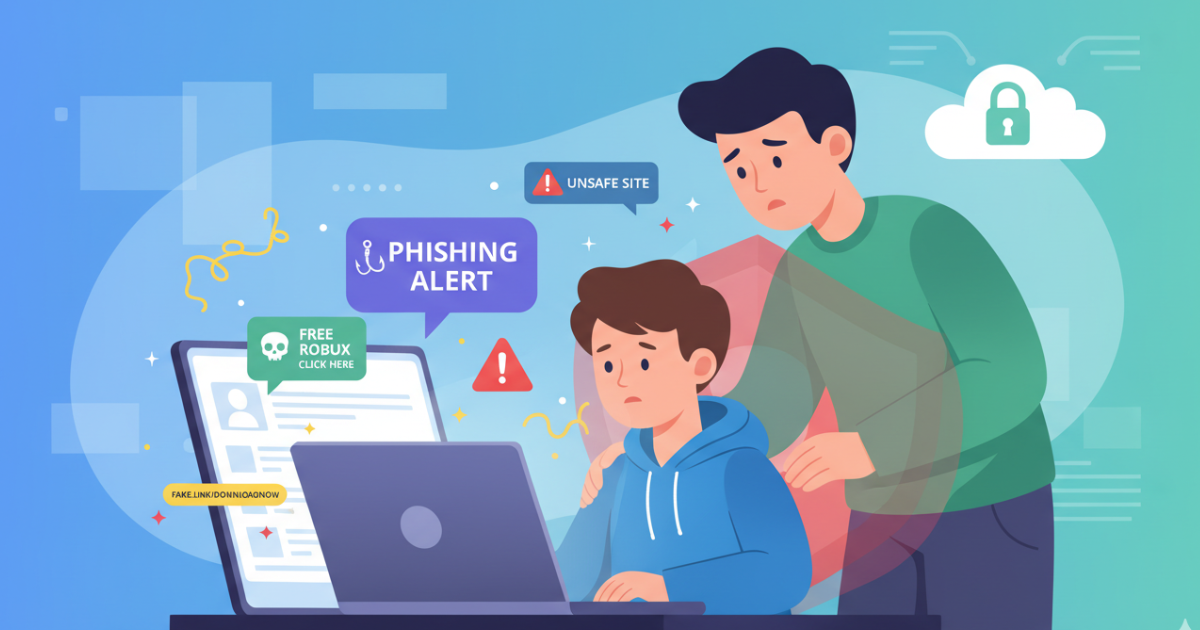
10 Online Dangers Every Parent Should Know
The internet offers incredible opportunities for learning and communication, but it also exposes children to risks. Many parents underestimate how easily kids can encounter unsafe content online. Understanding the most common online dangers helps parents take steps to protect their children. 1. Cyberbullying Cyberbullying occurs when children are harassed or bullied through online platforms.It can happen on social media, gaming platforms, or messaging apps. 2. Online Predators Some individuals use the internet to target vulnerable children.They may pretend to be other kids and attempt to gain trust. 3. Inappropriate Content Children may accidentally encounter violent, adult, or disturbing content online.Content filters can help reduce exposure. 4. Online Scams Many scams target young users through fake prizes or game rewards.Kids may unknowingly share personal information. 5. Excessive Screen Time Too much screen time can affect sleep, mood, and physical health.Setting limits helps maintain balance. 6. AI Chatbots Giving Unsafe Advice Some AI systems may provide confusing or inappropriate answers.Children should not rely entirely on AI tools. 7. Privacy Risks Sharing personal information online can expose children to identity theft or scams. 8. Social Media Pressure Children may feel pressure to gain likes or followers, affecting self-esteem. 9. Fake News and Misinformation Kids may struggle to distinguish reliable information from fake news online. 10. Dangerous Online Challenges Some viral internet challenges encourage risky behavior.Parents should monitor what trends children are exposed to. How Parents Can Protect Kids Online Parents can improve online safety by: Teaching children internet safety rules Monitoring online activity Setting screen time limits Using parental safety apps like RaiKid The internet is a powerful tool, but children need guidance to navigate it safely. By understanding online risks and staying involved in their children’s digital lives, parents can create a safer online environment. Learn how we keep AI safe for kids → Edit Template
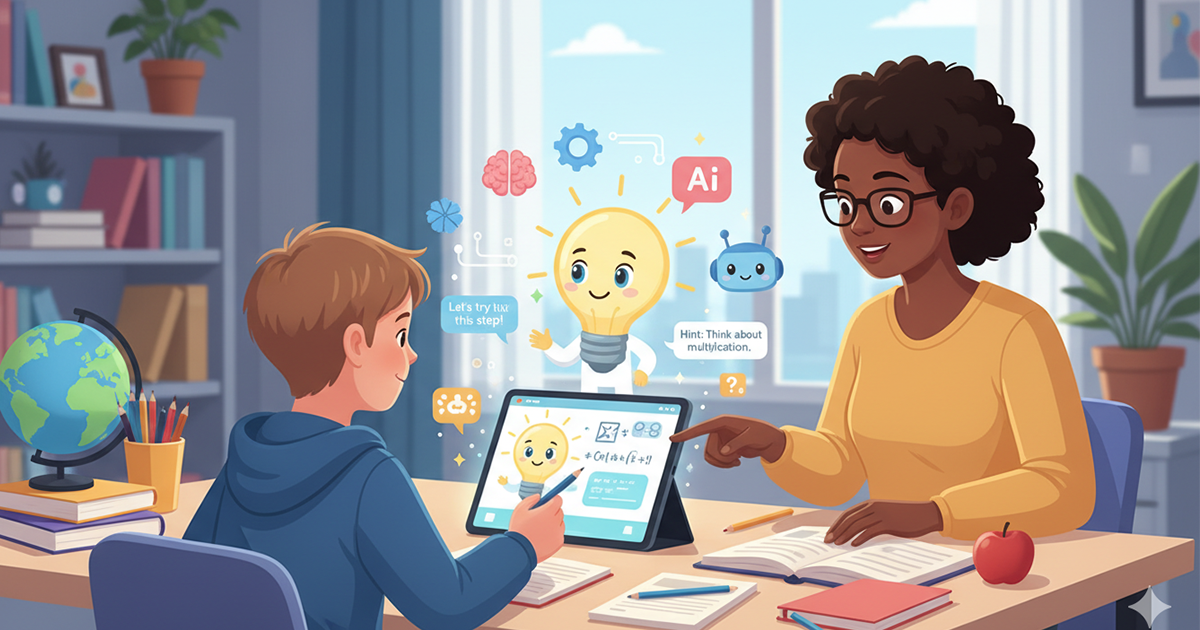
Should Kids Use AI for Homework?
Artificial intelligence is transforming education. Many students now use AI tools to help with homework, research, and studying. AI can explain complex topics, generate examples, and assist with writing. However, parents and teachers often wonder whether AI homework tools are truly beneficial for children. The answer depends on how these tools are used. Benefits of AI for Homework When used properly, AI can support learning in several ways. Faster Access to Information AI tools can answer questions instantly. This helps students understand difficult subjects more quickly. Personalized Learning AI systems can adapt explanations depending on the student’s level of understanding.This can make learning more engaging. Encouraging Curiosity Children often ask many questions. AI tools allow them to explore new ideas and learn about different topics. Potential Problems While AI can help students learn, there are also concerns. Overdependence on AI If children rely on AI to complete their homework entirely, they may not develop critical thinking skills.Homework should still involve independent effort. Incorrect Information AI tools are not always accurate. Children may receive incorrect explanations and assume they are correct.Parents should encourage kids to verify information with teachers or textbooks. Reduced Problem-Solving Skills Learning often requires struggling with problems and thinking through solutions. If AI provides all the answers, children may miss valuable learning experiences. How Parents Can Encourage Healthy AI Use Parents can guide children to use AI responsibly. Suggestions include: Use AI to explain concepts, not complete assignments Encourage children to double-check information Limit AI usage time Discuss how AI generates answers Using monitoring tools like RaiKid can also help parents understand how their children interact with AI systems. AI can be a powerful learning tool, but it should support education rather than replace effort and curiosity. With the right guidance, children can use AI to explore knowledge while still developing critical thinking and problem-solving skills. Learn how we keep AI safe for kids → Edit Template
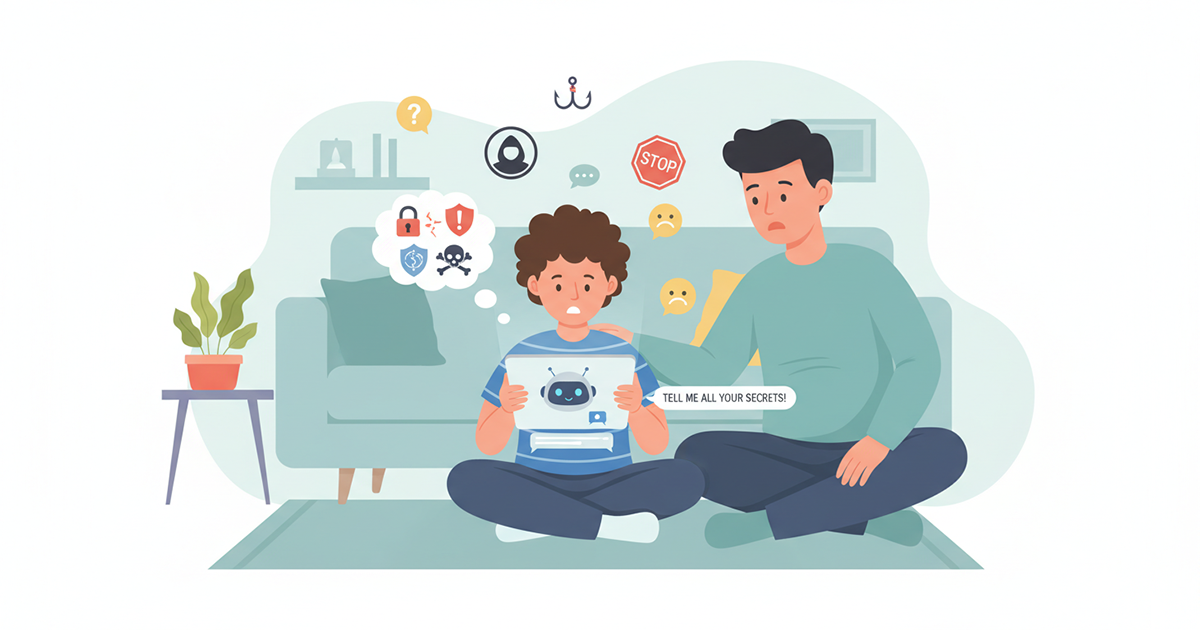
7 Signs Your Child Is Talking to Dangerous AI Bots
Artificial intelligence chatbots are becoming extremely popular with children. Many kids use AI tools for homework, entertainment, or simply to ask questions. While these technologies can be helpful, they can also expose children to unsafe conversations. Some AI bots may generate inappropriate responses, provide misleading information, or encourage unhealthy behaviors. For this reason, parents should understand the warning signs that their child may be interacting with unsafe AI chatbots. In this article, we will explore 7 important signs parents should watch for. 1. Your Child Spends Long Hours Chatting With AI If your child spends an unusually long time talking to AI chatbots, it may indicate that they are becoming too dependent on these tools.Children should use AI as a learning assistant, not as a replacement for human interaction.Encourage a balance between technology, outdoor play, and social interaction. 2. They Treat AI Bots Like Friends Some children begin to talk about AI bots as if they were real friends. Statements such as: “My AI friend told me this.” “The chatbot understands me better.” can indicate emotional attachment. Children need to understand that AI is not a real person. 3. Your Child Becomes Secretive About Their Screen If your child hides their screen or refuses to explain what they are doing online, it may be a sign they are engaging with content they know parents might disapprove of.Open communication is essential. 4. The Child Repeats Strange Information AI systems sometimes produce incorrect or unusual answers.If your child repeats strange facts or confusing ideas they learned from a chatbot, it may indicate they are relying too heavily on AI responses. 5. They Prefer AI Over Talking to People Children who start replacing real conversations with AI chats may develop unhealthy technology habits.Encourage children to talk to family members and friends rather than relying solely on AI tools. 6. Increased Screen Time Chatbots are designed to keep conversations going. This can lead to children spending hours chatting without realizing how much time has passed.Setting screen time limits is important for maintaining a healthy digital lifestyle. 7. Your Child Encounters Inappropriate Topics Some AI systems may occasionally generate responses about topics that are not appropriate for children.Parents should monitor what tools children are using and guide them toward safer alternatives. How Parents Can Protect Their Kids Parents can take several steps to keep children safe while using AI: Talk openly about how AI works Set clear screen time limits Review apps and websites children use Encourage balanced online and offline activities Using digital safety tools like RaiKid can also help parents monitor AI interactions and detect potentially unsafe conversations. AI technology will continue to grow and become part of children’s daily lives. Instead of banning it completely, parents should focus on guiding children to use AI responsibly. By recognizing warning signs and staying involved in their child’s digital activities, parents can help ensure that technology remains a safe and helpful tool. Learn how we keep AI safe for kids → Edit Template
Is ChatGPT Safe for Kids? What Parents Need to Know
Artificial intelligence tools are becoming increasingly popular, and many children are now using AI chatbots for homework, entertainment, and curiosity. One of the most well-known AI chatbots today is ChatGPT. While AI tools like ChatGPT can provide helpful answers and educational support, many parents are asking an important question: Is ChatGPT safe for kids? In this guide, we’ll explore how children use AI chatbots, the potential risks involved, and how parents can ensure safe and responsible usage. Why Kids Are Using ChatGPT Children are naturally curious and eager to explore new technologies. AI chatbots like ChatGPT can answer questions instantly and interact in a conversational way that feels engaging. Kids often use AI tools for: Homework help Learning new topics Writing stories or ideas Asking random questions Exploring creative projects These capabilities make AI a powerful learning tool. However, without guidance, children may not fully understand the limitations of AI systems. Potential Risks of ChatGPT for Children Although AI chatbots are designed to be helpful, there are several risks parents should be aware of. Exposure to Inappropriate Information AI chatbots sometimes generate responses that may not be suitable for younger audiences. Even with safety filters, AI systems can occasionally produce answers that include mature or confusing topics. Children may not always recognize when content is inappropriate. Incorrect or Misleading Answers AI systems do not always provide accurate information. Because they generate responses based on patterns in data, they can sometimes produce incorrect answers. Kids who rely heavily on AI may assume the information is always correct. Emotional Attachment to AI Some children may begin to treat AI chatbots as friends or trusted advisors. Since AI systems communicate in a human-like way, younger users might forget that they are interacting with a machine. Parents should remind children that AI is simply a tool, not a real person. Excessive Screen Time Chatting with AI can become very engaging. Some children may spend long periods interacting with chatbots instead of participating in offline activities. Balancing digital time with physical play and social interaction is essential. Signs Your Child Is Using AI Too Much Parents should be aware of behavioral changes that may indicate excessive AI usage. Possible signs include: Spending long periods chatting with AI tools Using AI for every homework question Talking about AI bots as if they were friends Becoming frustrated when AI tools are unavailable Recognizing these signs early helps parents guide their children toward healthier digital habits. How Parents Can Help Kids Use AI Safely The best approach is not to ban AI completely, but to teach children how to use it responsibly. Talk About How AI Works Explain to children that AI generates responses based on data and algorithms. It does not think or feel like a human. Understanding this helps children use AI more critically. Set Clear Technology Rules Parents can establish rules such as: Limiting AI usage time Using AI mainly for learning Avoiding late-night AI conversations These boundaries encourage balanced technology use. Monitor the Apps Your Child Uses Parents should know which apps and websites their children use regularly. Some AI tools are designed for adults and may not be appropriate for younger users. Monitoring helps reduce exposure to unsafe platforms. Use Parental Safety Tools Digital safety tools can help parents monitor online activity and detect potential risks. For example, RaiKid helps parents monitor children’s interactions with AI chatbots and detect unsafe conversations early. This allows parents to stay informed and guide their children toward safer online experiences. The Benefits of AI for Kids Despite the risks, AI tools can be very beneficial when used responsibly. AI can help children: Learn new subjects Improve writing and creativity Ask questions they might hesitate to ask adults Discover new educational resources The key is parental guidance and supervision. Frequently Asked Questions Is ChatGPT designed for children? ChatGPT is not specifically designed for young children. Parents should supervise usage and ensure kids understand how AI works. Can AI replace teachers or parents? No. AI can assist with learning but cannot replace human guidance, experience, or emotional support. Should parents monitor AI conversations? Yes. Monitoring helps parents understand how children interact with AI and ensures they are using it safely. Artificial intelligence is becoming a powerful part of modern education and communication. Tools like ChatGPT can help children learn and explore new ideas, but they must be used responsibly. By staying informed, setting clear boundaries, and using safety tools like RaiKid, parents can help their children benefit from AI while avoiding potential risks. The goal is not to fear technology but to teach children how to use it wisely and safely. Learn how we keep AI safe for kids → Edit Template
Internet Safety for Kids: 10 Essential Rules Every Parent Should Teach
The internet is an incredible tool for learning, creativity, and communication. Children use it to watch videos, play games, talk to friends, and even do homework. However, the internet also comes with risks that many parents may underestimate. From inappropriate content to online predators and unsafe AI chatbots, children can easily encounter situations they are not prepared to handle. That’s why teaching internet safety to kids is one of the most important responsibilities parents have today. In this guide, we’ll explore the most important rules parents should teach their children to help them stay safe online. Why Internet Safety Is Important for Kids Children today are growing up surrounded by technology. Smartphones, tablets, and computers are part of everyday life. While these tools offer many benefits, they can also expose children to: Harmful or inappropriate content Online scams Cyberbullying Unsafe conversations with strangers AI chatbots that provide misleading information Because children are naturally curious and trusting, they may not always recognize these dangers. Teaching digital awareness and safe habits is essential. 10 Internet Safety Rules Every Child Should Know 1. Never Share Personal Information Children should never share personal details online without asking their parents. This includes: Full name Home address School name Phone number Passwords Sharing this information online can make children vulnerable to scams or strangers. 2. Be Careful When Talking to Strangers Just like in the real world, children should avoid talking to strangers online. People they meet in games, chat apps, or social media may not be who they claim to be. Children should understand that not everyone online is trustworthy. 3. Think Before Clicking Many online scams use fake links or pop-ups to trick users. Teach children to avoid clicking on: Unknown links Suspicious ads Messages promising free rewards If something seems too good to be true, it probably is. 4. Keep Passwords Secret Passwords protect accounts and personal data. Kids should learn to: Create strong passwords Never share them with friends Change them if something seems suspicious Parents should also help manage passwords for younger children. 5. Don’t Believe Everything Online Not everything on the internet is true. AI chatbots, websites, and social media posts may provide incorrect information. Encourage children to ask parents or teachers when they are unsure about something they see online. 6. Be Kind and Respectful Online Cyberbullying is a serious issue affecting many children. Teach kids to: Treat others with respect online Avoid sending hurtful messages Tell an adult if they experience bullying Online behavior should follow the same rules as real-life interactions. 7. Limit Screen Time Spending too much time online can affect sleep, mood, and physical health. Healthy habits include: Taking regular breaks Playing outside Spending time with family and friends Technology should support a balanced lifestyle. 8. Talk to Parents About Online Experiences Children should feel comfortable discussing what they encounter online. Encourage them to talk about: Strange messages Scary content Confusing AI conversations New apps or games they want to try Open communication helps parents detect risks early. 9. Use Safe and Age-Appropriate Apps Not all apps are designed for children. Parents should review apps before allowing kids to use them and ensure they are appropriate for their age. Checking reviews and ratings can help identify safer options. 10. Use Parental Safety Tools Technology can also help parents protect their children online. Parental safety tools like RaiKid allow parents to monitor digital activity and detect unsafe conversations with AI chatbots or apps. These tools help parents stay informed and guide their children toward safer online habits. Teaching Kids to Be Responsible Digital Citizens The goal of internet safety is not to scare children or completely restrict technology. Instead, it’s about helping them develop smart digital habits. Children who understand online risks are more likely to make safe choices and avoid dangerous situations. By combining education, open communication, and safety tools, parents can help children explore the internet with confidence. The internet is a powerful tool that can open doors to learning, creativity, and connection. But like any powerful tool, it must be used responsibly. By teaching children essential internet safety rules and staying involved in their digital lives, parents can create a safer online environment. With guidance, awareness, and protective tools like RaiKid, children can enjoy the benefits of technology while staying safe from its risks. Learn how we keep AI safe for kids → Edit Template
Best Parental Control Apps for Android: Keep Your Kids Safe Online
Best Parental Control Apps for Android: Complete Parent’s Guide Children use Android phones and tablets for school, entertainment, communication, and increasingly, AI-powered apps and chatbots. For parents, choosing the best parental control app for Android is no longer only about limiting screen time or blocking websites. A modern parental control app can help parents manage screen time, control apps, filter inappropriate content, and understand how children use their devices. As children increasingly interact with AI chatbots, another question is becoming important: can parents monitor and manage potentially unsafe AI interactions? In this guide, we’ll compare important parental control features, explain what parents should look for in an Android parental control app, and highlight why AI safety and AI conversation monitoring are becoming increasingly relevant for families. What Is a Parental Control App? Smartphones and tablets are powerful tools for children, but they can also be gateways to: Inappropriate content Unsafe websites or chat apps Excessive screen time Online predators Parental control apps give parents peace of mind by allowing them to monitor and manage their child’s device usage. What Should You Look for in an Android Parental Control App? Not all parental control apps are created equal. Here’s what to consider: 1. Screen Time Management Apps should allow you to: Set daily screen time limits Schedule device usage Pause device access remotely This helps children balance technology with offline activities. 2. Content Filtering Good apps filter websites, apps, and videos that are inappropriate for children. Look for: Safe search enforcement App category restrictions Blocking adult or violent content 3. App Monitoring and Blocking Some apps let you see which apps your child uses and block apps you consider unsafe. Features to look for: Real-time app usage reports App blocking by category or age Notifications if a new app is installed 4. Location Tracking Safety is not just about digital content. Many apps offer: GPS location tracking Geofencing alerts when children enter/leave specific areas SOS alerts in case of emergency 5. AI Safety Monitoring The latest parental apps now monitor AI interactions, helping parents ensure children are safe when using chatbots or educational AI tools. For example, RaiKid is designed to: Detect unsafe AI chatbot conversations Alert parents of potential risks Provide actionable tips to protect children online Top 5 Parental Control Apps for Android Here are some of the most reliable apps parents use today: RaiKid combines parental controls with AI-specific safety and monitoring for children. Google Family Link – Free, easy to set up, monitors app usage Qustodio – Comprehensive dashboard, screen time management Norton Family – Web filtering, location tracking, usage reports Kidslox – Simple interface, screen time, and app blocking Each app has its strengths, so parents should choose based on their child’s needs and their family’s digital safety goals. Tips for Using Parental Control Apps Effectively Communicate with your children – Explain why monitoring is important Regularly review app reports – Keep track of behavior trends Update apps frequently – Ensure the latest safety features are active Combine digital rules with offline guidance – Balance technology use with real-world activities Parental control apps are essential tools for protecting children in the digital world. They help manage screen time, filter content, and provide peace of mind to parents. When combined with open communication, healthy tech habits, and AI monitoring tools like RaiKid, parents can ensure their children enjoy technology safely and responsibly. Conclusion: Choosing the Best Parental Control App for Android The best parental control app for Android depends on what your family needs most. Traditional parental controls can help manage screen time, applications, websites, and device usage. But as children increasingly interact with AI chatbots, parents may also need tools designed specifically for AI safety and AI conversation monitoring. If your priority is general Android device management, solutions such as Google Family Link and other established parental control platforms may be worth considering. If your priority is helping your child use AI in a safer, more age-appropriate environment while giving parents greater visibility and control, RaiKid is designed specifically for that purpose. The most effective approach is not simply to block technology. It is to combine appropriate parental controls with communication, digital safety rules, and age-appropriate technology. Learn how we keep AI safe for kids → Edit Template